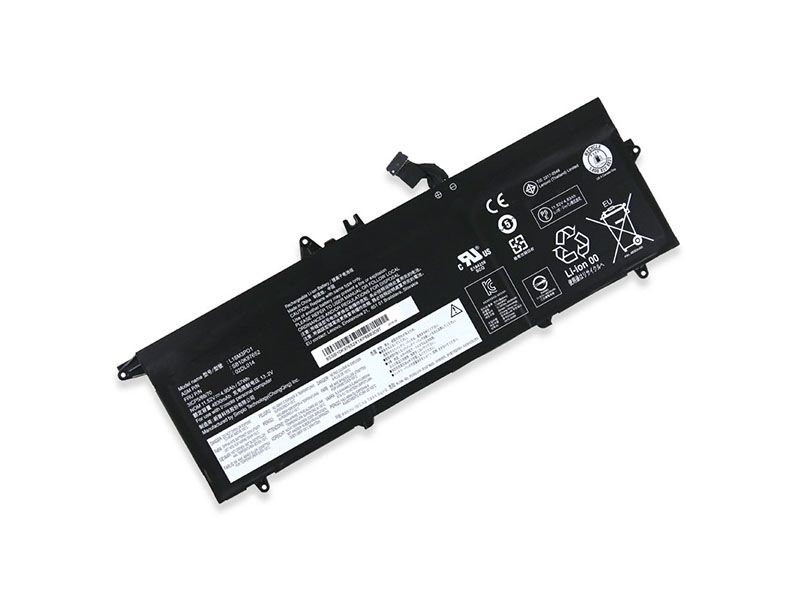
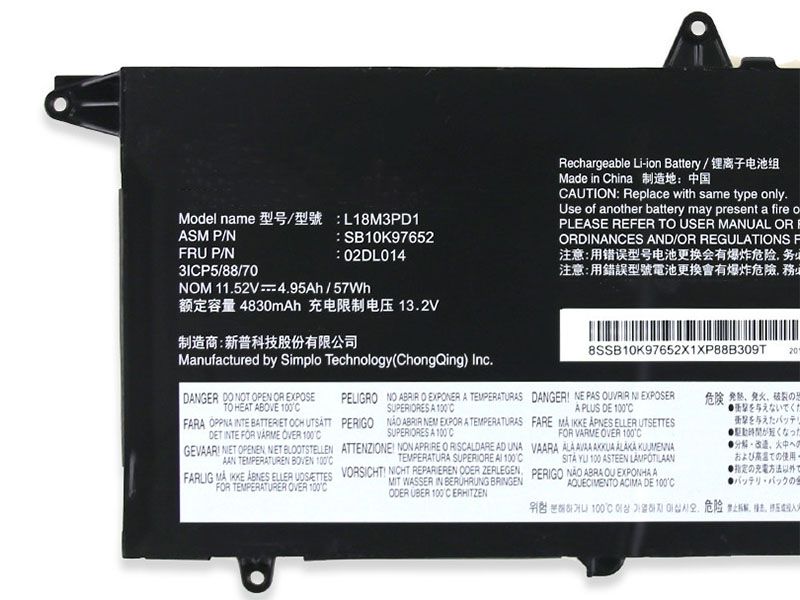
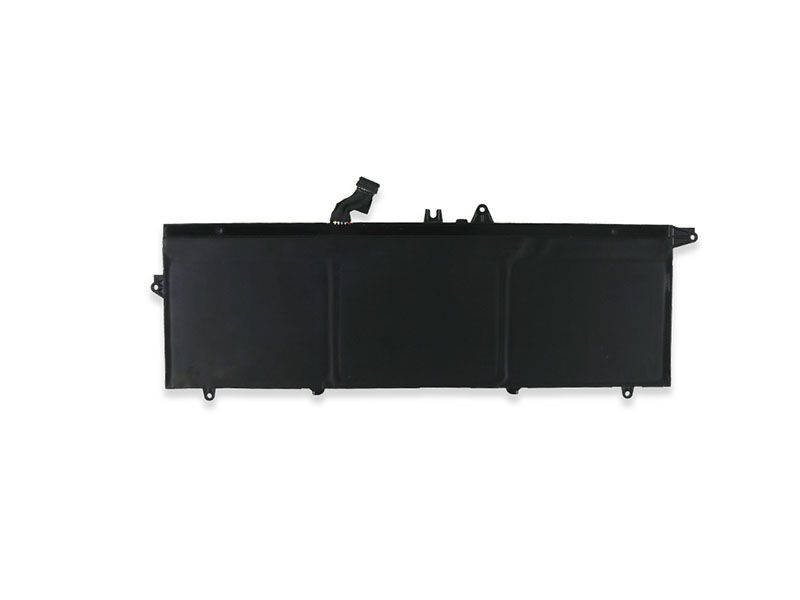
Replacement 2735mAh/42Wh L17C4PE1 battery for Lenovo IdeaPad 730S

Find Lenovo 2735mAh/42Wh 15.36V Li-ion battery replacement Lenovo L17C4PE1 notebook PC battery. High-quality and long-lasted L17C4PE1 laptop battery replacement for Lenovo IdeaPad 730S / Lenovo YOGA S730-13IWL Laptop. Fast shipping in the UK and shopping easily online. Getting more information about batteries models, you need to visit the UK-online battery store-www.uk-online.co.uk.
Lenovo L17C4PE1 battery

Product details:

Brand: Lenovo laptop battery

Type: Li-ion-battery

Voltage: 2735mAh/42Wh

Capacity: 15.36V

Compatible part numbers:

L17C4PE1

L17M4PE1

4ICP4/46/121

Application devices models:

Lenovo IdeaPad 730S
Lenovo YOGA S730-13IWL Laptop

Click to buy now: https://www.uk-online.co.uk/battery-lenovo-ideapad-730s—lenovo-yoga-s730-13iwl-for-sale-180864.html


Other online stores for your choice

JP: Lenovo L17C4PE1 ノートブック 用のPCバッテリー

ES: Baterías para Ordenador Portátil Lenovo L17C4PE1

DE: Lenovo L17C4PE1 Laptop-Akku 2735mAh/42Wh

IT: Batteria del computer portatile Lenovo L17C4PE1

How to maintain the Lenovo L17C4PE1 Li-ion notebook PC battery?

1. The battery does not need to wait until 0% is charging.

2. the first few use of charging does not need to charge for 12 hours. After the charge is full, there is no charging current even if the charging cable is not pulled out. (provided that the PC does not boot)

3. Do not use batteries and power chargers that are not equipped with the machine.

4. Users who use batteries frequently do not need to worry about plugging in full power. But you need to pay attention to controlling the temperature.

5. For users who do not use the battery basically, remove the battery and use the power supply to charge.

6. When placing, it is recommended that you store the battery in a dry environment with a temperature of -10-35 °C to avoid sunlight.

7. When not using the notebook for a long time, remove it and store it in a dry place.

8. Before the battery is stored separately, ensure that the battery power is better than 80%.

9. Since the lithium battery will pollute the environment after being damaged, there is also a certain danger, so please do not disassemble and discard the battery.

More popular article recommendations

iPhone battery disassembly process (iPhone6s Plus as an example)

Tablet password forgot how to crack?

So identifizieren Sie neu gekaufte Laptops

iPhone 6 common phone fault repair tips

What should I do if the iphone6 HOME button fails?

How to turn on and use iphone6 low battery mode

(iphone6) mobile phone touch screen failure solution

Eight common faults and solutions for Apple iPad

iPad Air common problems and solutions

iPad common fault solution

Other Hot Sales:

ASUS B21N1329 laptop battery 4000mAh – 7.2V
Bose 404600 replacement battery 2300mah – 11.1V/12.4v
Bose 063404 replacement battery 2230mAH/17Wh – 7.4V
Clevo P870BAT-8 laptop battery 89Wh – 15.12V
Bose 061384 replacement battery 2230mAH/17Wh – 7.4V
ASUS C21N1509 laptop battery 38Wh – 7.6V
HP SE03XL laptop battery 41.5Wh 3450mAh – 11.55V
KENWOOD PB-32 replacement battery 1100mAh – 6V
TASCAM BP-L1C-22 replacement battery 2200MAH/8.14WH – 3.7V
Dell Y9N00 laptop battery 6000mAh/47WH – 7.4V
BOSE 078592 replacement battery 5500MAH – 14.8V
Medion A41-D17 laptop battery 3000mAh/45Wh – 15V
Bose 789175 replacement battery 5500MAH/79.2wh – 14.4V
Toshiba ER3V/3.6V replacement battery 1200mah – 3.6v
Bose 063287 replacement battery 2230mAh/17Wh – 7.4V

Dell VHR5P notebook PC battery for Dell 35wh Dell Latitude 11 5175 PC battery

Find Dell 35wh 7.6V Li-ion battery replacement Dell VHR5P notebook PC battery. High-quality and long-lasted VHR5P laptop battery replacement for Dell Latitude 11 5175 5179 Tablet. Fast shipping in the UK and shopping easily online. Getting more information about batteries models, you need to visit the UK-online battery store-www.uk-online.co.uk.
Dell VHR5P battery

Product details:

Brand: Dell laptop battery

Type: Li-ion-battery

Voltage: 35wh

Capacity: 7.6V

Compatible part numbers:

VHR5P

XRHWG

0XRHWG

​RHF3V

Application devices models:

Dell Latitude 11 5175 5179 Tablet
Dell Latitude 11 5179 Tablet

Click to buy now: https://www.uk-online.co.uk/battery-dell-latitude-11-5175-5179-tablet-for-sale-180865.html


Other online stores for your choice

JP: Dell VHR5P ノートブック 用のPCバッテリー

ES: Baterías para Ordenador Portátil Dell VHR5P

DE: Dell VHR5P Laptop-Akku 35wh

IT: Batteria del computer portatile Dell VHR5P

How to maintain the Dell VHR5P Li-ion notebook PC battery?

1. The battery does not need to wait until 0% is charging.

2. the first few use of charging does not need to charge for 12 hours. After the charge is full, there is no charging current even if the charging cable is not pulled out. (provided that the PC does not boot)

3. Do not use batteries and power chargers that are not equipped with the machine.

4. Users who use batteries frequently do not need to worry about plugging in full power. But you need to pay attention to controlling the temperature.

5. For users who do not use the battery basically, remove the battery and use the power supply to charge.

6. When placing, it is recommended that you store the battery in a dry environment with a temperature of -10-35 °C to avoid sunlight.

7. When not using the notebook for a long time, remove it and store it in a dry place.

8. Before the battery is stored separately, ensure that the battery power is better than 80%.

9. Since the lithium battery will pollute the environment after being damaged, there is also a certain danger, so please do not disassemble and discard the battery.

More popular article recommendations

iPhone battery disassembly process (iPhone6s Plus as an example)

Tablet password forgot how to crack?

So identifizieren Sie neu gekaufte Laptops

iPhone 6 common phone fault repair tips

What should I do if the iphone6 HOME button fails?

How to turn on and use iphone6 low battery mode

(iphone6) mobile phone touch screen failure solution

Eight common faults and solutions for Apple iPad

iPad Air common problems and solutions

iPad common fault solution

Other Hot Sales:

ASUS B21N1329 laptop battery 4000mAh – 7.2V
Bose 404600 replacement battery 2300mah – 11.1V/12.4v
Bose 063404 replacement battery 2230mAH/17Wh – 7.4V
Clevo P870BAT-8 laptop battery 89Wh – 15.12V
Bose 061384 replacement battery 2230mAH/17Wh – 7.4V
ASUS C21N1509 laptop battery 38Wh – 7.6V
HP SE03XL laptop battery 41.5Wh 3450mAh – 11.55V
KENWOOD PB-32 replacement battery 1100mAh – 6V
TASCAM BP-L1C-22 replacement battery 2200MAH/8.14WH – 3.7V
Dell Y9N00 laptop battery 6000mAh/47WH – 7.4V
BOSE 078592 replacement battery 5500MAH – 14.8V
Medion A41-D17 laptop battery 3000mAh/45Wh – 15V
Bose 789175 replacement battery 5500MAH/79.2wh – 14.4V
Toshiba ER3V/3.6V replacement battery 1200mah – 3.6v
Bose 063287 replacement battery 2230mAh/17Wh – 7.4V

Toshiba Notebook PCs replacement Toshiba PA5247U laptop battery 2800mAh

Find Toshiba 2800mAh 14.8V Li-ion battery replacement Toshiba PA5247U notebook PC battery. High-quality and long-lasted PA5247U laptop battery replacement for Toshiba Tecra A50-E R50 A30 A40-C Z50-C Laptop. Fast shipping in the UK and shopping easily online. Getting more information about batteries models, you need to visit the UK-online battery store-www.uk-online.co.uk.
Toshiba PA5247U battery

Product details:

Brand: Toshiba laptop battery

Type: Li-ion-battery

Voltage: 2800mAh

Capacity: 14.8V

Compatible part numbers:

Toshiba PA5212U-1BRS
Toshiba PA5247U-1BRS
Toshiba PA5265U-1BRS
Toshiba PABAS283
Toshiba PABAS286
Toshiba PABAS287

Application devices models:

Toshiba Portege A30-C
Toshiba Portege A30-C-10H
Toshiba Portege A30-C-113
Toshiba Portege A30-C-13D
Toshiba Portege A30-C-13E
Toshiba Portege A30-C-13H
Toshiba Portege A30-C-13N
Toshiba Portege A30-C-13R
Toshiba Portege A30-C-13T
Toshiba Portege A30-C-13U
Toshiba Portege A30-C-13Z
Toshiba Portege A30-C-148
Toshiba Portege A30-C-149
Toshiba Portege A30-C-14C
Toshiba Portege A30-C-14D
Toshiba Portege A30-C-14J
Toshiba Portege A30-C-14P
Toshiba Portege A30-C-14R
Toshiba Portege A30-C-14U
Toshiba Portege A30-C-14V
Toshiba Portege A30-C-14X
Toshiba Portege A30-C-155
Toshiba Portege A30-C-158
Toshiba Portege A30-C-159
Toshiba Portege A30-C-15K
Toshiba Portege A30-D
Toshiba Portege A30-D-10C
Toshiba Portege A30-D-10E
Toshiba Portege A30-D-10L
Toshiba Portege A30-D-10N
Toshiba Portege A30-D-10R
Toshiba Portege A30-D-114
Toshiba Portege A30-D-11J
Toshiba Portege A30-D-139
Toshiba Portege A30T-C
Toshiba Portege A30T-C-11T
Toshiba Portege A30T-C-11U
Toshiba Satellite Pro A30T-C-111
Toshiba Satellite Pro A40-C
Toshiba Satellite Pro A40-C-152
Toshiba Satellite Pro A40-C-154
Toshiba Satellite Pro A40-C-15F
Toshiba Satellite Pro A40-C-183
Toshiba Satellite Pro A40-C-18T
Toshiba Satellite Pro A40-C-1D8
Toshiba Satellite Pro A40-C-1D9
Toshiba Satellite Pro A40-C-1DW
Toshiba Satellite Pro A50-C
Toshiba Satellite Pro A50-C-17X
Toshiba Satellite Pro A50-C-181
Toshiba Satellite Pro A50-C-18P
Toshiba Satellite Pro A50-C-24C
Toshiba Satellite Pro A50-C-256
Toshiba Satellite Pro A50-D
Toshiba Satellite Pro A50-D-10H
Toshiba Satellite Pro A50-D-10J
Toshiba Satellite Pro A50-D-10V
Toshiba Satellite Pro A50-D-10X
Toshiba Satellite Pro A50-D-10Z
Toshiba Satellite Pro R40-C
Toshiba Satellite Pro R40-C-103
Toshiba Satellite Pro R40-C-105
Toshiba Satellite Pro R40-C-106
Toshiba Satellite Pro R40-C-10R
Toshiba Satellite Pro R40-C-10U
Toshiba Satellite Pro R40-C-10W
Toshiba Satellite Pro R40-C-10X
Toshiba Satellite Pro R40-C-10Z
Toshiba Satellite Pro R40-C-110
Toshiba Satellite Pro R40-C-111
Toshiba Satellite Pro R40-C-112
Toshiba Satellite Pro R40-C-114
Toshiba Satellite Pro R40-C-11C
Toshiba Satellite Pro R40-C-11L
Toshiba Satellite Pro R40-C-130
Toshiba Satellite Pro R40-C-131
Toshiba Satellite Pro R40-C-132
Toshiba Satellite Pro R40-C-13V
Toshiba Satellite Pro R50
Toshiba Satellite Pro R50-B-01R
Toshiba Satellite Pro R50-B-01T
Toshiba Satellite Pro R50-B-167
Toshiba Satellite Pro R50-B-169
Toshiba Satellite Pro R50-B-16V
Toshiba Satellite Pro R50-B-170
Toshiba Satellite Pro R50-B-186
Toshiba Satellite Pro R50-C
Toshiba Satellite Pro R50-C-008
Toshiba Satellite Pro R50-C-00C
Toshiba Satellite Pro R50-C-1DE
Toshiba Tecra A40-C
Toshiba Tecra A40-C-13Z
Toshiba Tecra A40-C-140
Toshiba Tecra A40-C-141
Toshiba Tecra A40-C-142
Toshiba Tecra A40-C-147
Toshiba Tecra A40-C-14L
Toshiba Tecra A40-C-14U
Toshiba Tecra A40-C-14V
Toshiba Tecra A40-C-151
Toshiba Tecra A40-C-155
Toshiba Tecra A40-C-15M
Toshiba Tecra A40-C-15X
Toshiba Tecra A40-C-169
Toshiba Tecra A40-C-17C
Toshiba Tecra A40-C-17D
Toshiba Tecra A40-C-17E
Toshiba Tecra A40-C-17J
Toshiba Tecra A40-C-187
Toshiba Tecra A40-C-188
Toshiba Tecra A40-C-18D
Toshiba Tecra A40-C-18E
Toshiba Tecra A40-C-18Q
Toshiba Tecra A40-C-18R
Toshiba Tecra A40-C-190
Toshiba Tecra A40-C-19C
Toshiba Tecra A40-C-19D
Toshiba Tecra A40-C-19E
Toshiba Tecra A40-C-19F
Toshiba Tecra A40-C-19W
Toshiba Tecra A40-C-1C0
Toshiba Tecra A40-C-1C2
Toshiba Tecra A40-C-1FX
Toshiba Tecra A50-C
Toshiba Tecra A50-C-16E
Toshiba Tecra A50-C-2D2
Toshiba Tecra A50-C-2F5
Toshiba Tecra A50-C-2GG
Toshiba Tecra A50-C-2R9
Toshiba Tecra A50-D
Toshiba Tecra A50-D-10M
Toshiba Tecra A50-D-10X
Toshiba Tecra A50-D-11M
Toshiba Tecra A50-D-13U
Toshiba Tecra C50-B
Toshiba Tecra C50-B-118
Toshiba Tecra C50-B-122
Toshiba Tecra C50-B-12L
Toshiba Tecra C50-B-14D
Toshiba Tecra C50-B-14Z
Toshiba Tecra C50-B-159
Toshiba Tecra C50-B-16L
Toshiba Tecra C50-B-19W
Toshiba Tecra C50-B0736
Toshiba Tecra Z50-C
Toshiba Tecra Z50-C-10M
Toshiba Tecra Z50-C-10P
Toshiba Tecra Z50-C1550Click to buy now: https://www.uk-online.co.uk/battery-toshiba-tecra-a50-e-r50-a30-a40-c-z50-c-lapto-for-sale-180866.html

Other online stores for your choice

JP: Toshiba PA5247U ノートブック 用のPCバッテリー

ES: Baterías para Ordenador Portátil Toshiba PA5247U

DE: Toshiba PA5247U Laptop-Akku 2800mAh

IT: Batteria del computer portatile Toshiba PA5247U

How to maintain the Toshiba PA5247U Li-ion notebook PC battery?

1. The battery does not need to wait until 0% is charging.

2. the first few use of charging does not need to charge for 12 hours. After the charge is full, there is no charging current even if the charging cable is not pulled out. (provided that the PC does not boot)

3. Do not use batteries and power chargers that are not equipped with the machine.

4. Users who use batteries frequently do not need to worry about plugging in full power. But you need to pay attention to controlling the temperature.

5. For users who do not use the battery basically, remove the battery and use the power supply to charge.

6. When placing, it is recommended that you store the battery in a dry environment with a temperature of -10-35 °C to avoid sunlight.

7. When not using the notebook for a long time, remove it and store it in a dry place.

8. Before the battery is stored separately, ensure that the battery power is better than 80%.

9. Since the lithium battery will pollute the environment after being damaged, there is also a certain danger, so please do not disassemble and discard the battery.

More popular article recommendations

iPhone battery disassembly process (iPhone6s Plus as an example)

Tablet password forgot how to crack?

So identifizieren Sie neu gekaufte Laptops

iPhone 6 common phone fault repair tips

What should I do if the iphone6 HOME button fails?

How to turn on and use iphone6 low battery mode

(iphone6) mobile phone touch screen failure solution

Eight common faults and solutions for Apple iPad

iPad Air common problems and solutions

iPad common fault solution

Other Hot Sales:

ASUS B21N1329 laptop battery 4000mAh – 7.2V
Bose 404600 replacement battery 2300mah – 11.1V/12.4v
Bose 063404 replacement battery 2230mAH/17Wh – 7.4V
Clevo P870BAT-8 laptop battery 89Wh – 15.12V
Bose 061384 replacement battery 2230mAH/17Wh – 7.4V
ASUS C21N1509 laptop battery 38Wh – 7.6V
HP SE03XL laptop battery 41.5Wh 3450mAh – 11.55V
KENWOOD PB-32 replacement battery 1100mAh – 6V
TASCAM BP-L1C-22 replacement battery 2200MAH/8.14WH – 3.7V
Dell Y9N00 laptop battery 6000mAh/47WH – 7.4V
BOSE 078592 replacement battery 5500MAH – 14.8V
Medion A41-D17 laptop battery 3000mAh/45Wh – 15V
Bose 789175 replacement battery 5500MAH/79.2wh – 14.4V
Toshiba ER3V/3.6V replacement battery 1200mah – 3.6v
Bose 063287 replacement battery 2230mAh/17Wh – 7.4V

Lenovo battery replacement BL205 mobile Phone battery 3500mAh/13.3WH 3.8V

Find Lenovo 3500mAh/13.3WH 3.8V Li-ion battery replacement Lenovo BL205 cell phone battery. high-quality and long-lasted BL205 mobile Phone battery replacement for Lenovo P770 phone. Fast shipping in the UK and shopping easily online. Getting more information about batteries models, you need to visit the UK-online battery store-www.uk-online.co.uk.
Lenovo BL205 battery

Product details:

Brand: Lenovo mobile Phone battery

Type: Li-ion-battery

Voltage: 3500mAh/13.3WH

Capacity: 3.8V


Compatible part numbers:


Cheap HUAWEI battery price replacement HGB-2A10x3 Compatible battery 1500mAh 3.6V

Find HUAWEI 1500mAh 3.6V Li-ion battery replacement HUAWEI HGB-2A10x3 Compatible battery. high-quality and long-lasted HGB-2A10x3 battery replacement for Huawei Router 4G LTE CPE E5172 ETS5623 515H 2222+ 3125 3023. Fast shipping in the UK and shopping easily online. Getting more information about batteries models, you need to visit the UK-online battery store-www.uk-online.co.uk.
HUAWEI HGB-2A10x3 battery

Product details:

Brand: HUAWEI battery

Type: Li-ion-battery

Voltage: 1500mAh

Capacity: 3.6V


Compatible part numbers:


High-quality for Lenovo BL202 li-ion cell phone battery for Lenovo cell phone

Find Lenovo 1800mAh/6.66WH 3.7V Li-ion battery replacement Lenovo BL202 cell phone battery. high-quality and long-lasted BL202 mobile Phone battery replacement for Lenovo MA168 MA169 mobile phone(2012). Fast shipping in the UK and shopping easily online. Getting more information about batteries models, you need to visit the UK-online battery store-www.uk-online.co.uk.
Lenovo BL202 battery

Product details:

Brand: Lenovo mobile Phone battery

Type: Li-ion-battery

Voltage: 1800mAh/6.66WH

Capacity: 3.7V


Compatible part numbers:


ZTE Li3818T43P3h665344 mobile Phone battery for ZTE mobile phone for ZTE Blade GF3 T320 Phone

Find ZTE 1850mAh/7.03WH 3.8V Li-ion battery replacement ZTE Li3818T43P3h665344 cell phone battery. high-quality and long-lasted Li3818T43P3h665344 mobile Phone battery replacement for ZTE Blade GF3 T320 Phone. Fast shipping in the UK and shopping easily online. Getting more information about batteries models, you need to visit the UK-online battery store-www.uk-online.co.uk.
ZTE Li3818T43P3h665344 battery

Product details:

Brand: ZTE mobile Phone battery

Type: Li-ion-battery

Voltage: 1850mAh/7.03WH

Capacity: 3.8V


Compatible part numbers:


Lenovo cell phone battery H11NT201A 2400mAh/8.88WH best replacement

Find Lenovo 2400mAh/8.88WH 3.7V Li-ion battery replacement Lenovo H11NT201A cell phone battery. high-quality and long-lasted H11NT201A mobile Phone battery replacement for lenovo A2105. Fast shipping in the UK and shopping easily online. Getting more information about batteries models, you need to visit the UK-online battery store-www.uk-online.co.uk.
Lenovo H11NT201A battery

Product details:

Brand: Lenovo mobile Phone battery

Type: Li-ion-battery

Voltage: 2400mAh/8.88WH

Capacity: 3.7V

Compatible part numbers:

C11P1805 battery 3920mAh/15.2WH for ASUS in UK

Find the 3920mAh/15.2WH 3.82V cellphone battery model replacement ASUS C11P1805 battery, high-quality charging type of ASUS zenfone max M2 ZB633KL ZB632KL X01AD. Fast shipping in the UK and shopping easily online. Getting more information about batteries models, you need to visit the UK-online battery store-www.uk-online.co.uk.
ASUS C11P1805 battery

Product details:

Brand: ASUS smart phone

Type: Li-ion-battery

Voltage: 3920mAh/15.2WH

Capacity: 3.82V

Replace the following part numbers:

  • ASUS C11P1805
  • ASUS 1ICP4/67/87
  • Fits the Following Models:

    ASUS zenfone max M2 ZB633KL ZB632KL X01AD
    Charge limit voltage:4.4V

    Other online stores for your choice

    JP: ASUS C11P1805 バッテリー

    ES: Batería ASUS C11P1805

    DE: ASUS C11P1805 Akku

    IT: Batteria ASUS C11P1805
    https://www.uk-online.co.uk/battery-asus-zenfone-max-m2-zb633kl-zb632kl-x01ad-for-sale-180899.html

    ASUS C11P1805 Mobile phone battery common faults

    1, the battery is not durable. There are many reasons why a mobile phone battery may lose power faster than usual. You can look at the battery consumption of each app in the settings. For some power-hungry users, if you are not used to it, don’t leave them in the background of the phone. With the battery-optimized app, you can monitor and end some useless applications and processes to save power and extend battery life.

    2, suddenly shut down. It is often found that the phone battery suddenly shuts down before the battery reaches zero. This is mainly because the electricity metering is not allowed.

    The mobile phone automatically shuts down when the battery power has not been used up, in order to keep some of the memory and normal use, but the aging of the mobile phone increases the error of reaching the critical value.3, feels very hot when charging. Nowadays, fast charging is popular, in fact, it is to charge the mobile phone with a large current. When charging, the energy conversion process will heat up. Under normal circumstances, there is no problem, and the general manufacturers have done rigorous testing. However, if you feel very hot, then beware of whether the battery is a problem, after all, there have been some “big killer” pretending to be a mobile phone. Also be careful to avoid extreme conditions, such as summer hot and hot cars.

    iPhone mobile phone battery common faults

    1, iPhone consumes power quickly. If you want to know why your phone is running fast, you can check it from the battery data built into iOS. The method is to enable “Settings” – “Battery”. Next, you will list all the power consumption of the app. According to the data of 24 hours or the whole week to determine which app is silently consuming mobile phone power.

    Of course, after discovering which apps are power-hungry monsters, the user can choose to delete the app directly, or to minimize the consumption of mobile phone resources by closing the background operation and location GPS service. The practice is to open “Settings” – “General” – “Background App Rearrangement”, where you can disable any App completely.

    The way to turn off the location GPS service is to turn off the specific app in “Settings” – “Privacy” – “Location Services”, or simply close the “Location Services” option.

    In addition to the above, the network rumors that iOS’s “HeySiri” function will also cause a lot of power consumption, because the iPhone must be on standby to hear the user’s voice command, you must open Siri. To turn off the HeySiri function, go to “Settings” – “Siri” and turn off the “Listen HeySiri” option.

    2, the iPhone suddenly shuts down. Excluding the normal power consumption and causing the shutdown, if the iPhone automatically shuts down when the power is normal, it is related to the system problem.

    The most basic way is to check if there are any new updates to the system. A new version of iOS will fix the iPhone battery. In the past iPhone6s era, it was revealed that the mobile phone would automatically shut down when the power left around 30%, and then the problem was solved after Apple introduced the correction. To check if there is a new update to the system, go to “Settings” – “General” – “Software Update”.

    If it is determined that the mobile phone is operating the latest iOS system, the second method is to reset the entire mobile phone. Of course, it is first recommended to back up the entire iPhone through iCloud or iTunes, and then through the “Respond to iPhone” function of iTunes. To refill the whole hand.

    In addition to refilling, the user can also choose to set the iPhone directly to the factory settings by “Clear All Contents and Settings” in “Settings” – “General” – “Reset”.

    3, the phone is abnormally overheated when charging. This phenomenon usually occurs, and all of them are directly related to the charger. If you use a brand-name instead of the original factory-certified charger, you will often give the iPhone the wrong voltage, which will make the iPhone’s motherboard overheat, even Burned out. Therefore, it is best to recommend the purchase of an iPhone charger, you must use the original certified third-party brand charger, or directly buy Apple charger is also a solution.

    Common fake battery identification method

    1. The average Ni-cd battery is 500mAh or 600mAh, and the Ni-mh battery is only 800-900mAh. The capacity of the lithium-ion mobile phone battery is generally between 1300-1400mAh, so the time for the lithium battery to be fully charged is about 1.5 times that of a nickel-hydrogen battery is about 3.0 times that of a nickel-cadmium battery. If you find that the working hours of the lithium-ion mobile phone battery block you purchased are not advertised or as long as specified in the manual, it may be counterfeit.

    2. If we find that the battery is extremely hot or smokes or even explodes during charging, the battery is definitely fake.

    3. If a lithium-ion mobile phone battery block is faked with a cadmium-nickel or a hydrogen-hydrogen battery block, it must be composed of five single-cell batteries. The charging voltage of a single battery generally does not exceed 1.55V, and the total voltage of the battery block does not exceed 7.75V. When the total charging voltage of the battery block is lower than 8.0V, it may be a Ni-cd or Ni-mh battery.

    More popular article recommendations

    iPhone battery disassembly process (iPhone6s Plus as an example)

    Tablet password forgot how to crack?

    So identifizieren Sie neu gekaufte Laptops

    iPhone 6 common phone fault repair tips

    What should I do if the iphone6 ​​HOME button fails?

    How to turn on and use iphone6 low battery mode

    (iphone6) mobile phone touch screen failure solution

    Eight common faults and solutions for Apple iPad

    iPad Air common problems and solutions

    iPad common fault solution

    UPDATE ONLINE

    Alcatel TLI020F7 cellphone battery 2000MAH/7.6Wh

    2955C7 58-000187 battery 6300mAh/23.94Wh for Amazon Kindle Fire HD 7”

    HP 462969-B21 Ni-mh battery 650MAH/4.8v

    8-000092 26S1006 tablet battery 3400MAH/12.58WH 3.7v for Amazon Fire Kids HD 6 PW98VM

    GP-S10-346392-0100 Amazon battery 1750MAH/6.5WH for KINDLE 3 3G WIFI Kindle Keyboard III -Black

    MR-BAT6V1SET Mitsuishi 6v PLC battery for MR-J4

    6280mAh/47WH AP13F3N battery for Acer Aspire laptops

    Other Hot Sales:

    Asus C11P1502 tablet battery 4750mAh – 3.8V
    CLEVO 6-87-W370S-4271 laptop battery 5200mah/76.96Wh – 14.8V
    Motorola GK40 replacement battery 2200mAh – 3.8V
    Lenovo L14D2P31 tablet battery 7000mAh/26.60wh – 3.8V
    Bose 404600 replacement battery 2300mah – 11.1V/12.4v
    Bose 063404 replacement battery 2230mAH/17Wh – 7.4V
    Bose 061384 replacement battery 2230mAH/17Wh – 7.4V
    Alcatel TLI020F7 replacement battery 2000MAH/7.6Wh – 3.8V/4.35V
    OPPO BLP637 replacement battery 3300mAh/12.70WH – 3.85V
    BOSE 078592 replacement battery 5500MAH – 14.8V
    Bose 789175 replacement battery 5500MAH/79.2wh – 14.4V
    Bose 63287 replacement battery 2230mAh/17Wh – 7.4V

C11P1801 battery 4000mAh/15.4WH(min3850mAh) for ASUS in UK

Find the 4000mAh/15.4WH(min3850mAh) 3.85V cellphone battery model replacement ASUS C11P1801 battery, high-quality charging type of ASUS ROG PHONE ZS600KL Smartphone. Fast shipping in the UK and shopping easily online. Getting more information about batteries models, you need to visit the UK-online battery store-www.uk-online.co.uk.
ASUS C11P1801 battery

Product details:

Brand: ASUS smart phone

Type: Li-ion-battery

Voltage: 4000mAh/15.4WH(min3850mAh)

Capacity: 3.85V

Replace the following part numbers:

  • ASUS C11P1801
  • ASUS 1ICP5/49/99
  • Fits the Following Models:

    ASUS ROG PHONE ZS600KL Smartphone
    Charge limited voltage: 4.4v

    Other online stores for your choice

    JP: ASUS C11P1801 バッテリー

    ES: Batería ASUS C11P1801

    DE: ASUS C11P1801 Akku

    IT: Batteria ASUS C11P1801
    https://www.uk-online.co.uk/battery-asus-rog-phone-zs600kl-smartphone-for-sale-180900.html

    ASUS C11P1801 Mobile phone battery common faults

    1, the battery is not durable. There are many reasons why a mobile phone battery may lose power faster than usual. You can look at the battery consumption of each app in the settings. For some power-hungry users, if you are not used to it, don’t leave them in the background of the phone. With the battery-optimized app, you can monitor and end some useless applications and processes to save power and extend battery life.

    2, suddenly shut down. It is often found that the phone battery suddenly shuts down before the battery reaches zero. This is mainly because the electricity metering is not allowed.

    The mobile phone automatically shuts down when the battery power has not been used up, in order to keep some of the memory and normal use, but the aging of the mobile phone increases the error of reaching the critical value.3, feels very hot when charging. Nowadays, fast charging is popular, in fact, it is to charge the mobile phone with a large current. When charging, the energy conversion process will heat up. Under normal circumstances, there is no problem, and the general manufacturers have done rigorous testing. However, if you feel very hot, then beware of whether the battery is a problem, after all, there have been some “big killer” pretending to be a mobile phone. Also be careful to avoid extreme conditions, such as summer hot and hot cars.

    iPhone mobile phone battery common faults

    1, iPhone consumes power quickly. If you want to know why your phone is running fast, you can check it from the battery data built into iOS. The method is to enable “Settings” – “Battery”. Next, you will list all the power consumption of the app. According to the data of 24 hours or the whole week to determine which app is silently consuming mobile phone power.

    Of course, after discovering which apps are power-hungry monsters, the user can choose to delete the app directly, or to minimize the consumption of mobile phone resources by closing the background operation and location GPS service. The practice is to open “Settings” – “General” – “Background App Rearrangement”, where you can disable any App completely.

    The way to turn off the location GPS service is to turn off the specific app in “Settings” – “Privacy” – “Location Services”, or simply close the “Location Services” option.

    In addition to the above, the network rumors that iOS’s “HeySiri” function will also cause a lot of power consumption, because the iPhone must be on standby to hear the user’s voice command, you must open Siri. To turn off the HeySiri function, go to “Settings” – “Siri” and turn off the “Listen HeySiri” option.

    2, the iPhone suddenly shuts down. Excluding the normal power consumption and causing the shutdown, if the iPhone automatically shuts down when the power is normal, it is related to the system problem.

    The most basic way is to check if there are any new updates to the system. A new version of iOS will fix the iPhone battery. In the past iPhone6s era, it was revealed that the mobile phone would automatically shut down when the power left around 30%, and then the problem was solved after Apple introduced the correction. To check if there is a new update to the system, go to “Settings” – “General” – “Software Update”.

    If it is determined that the mobile phone is operating the latest iOS system, the second method is to reset the entire mobile phone. Of course, it is first recommended to back up the entire iPhone through iCloud or iTunes, and then through the “Respond to iPhone” function of iTunes. To refill the whole hand.

    In addition to refilling, the user can also choose to set the iPhone directly to the factory settings by “Clear All Contents and Settings” in “Settings” – “General” – “Reset”.

    3, the phone is abnormally overheated when charging. This phenomenon usually occurs, and all of them are directly related to the charger. If you use a brand-name instead of the original factory-certified charger, you will often give the iPhone the wrong voltage, which will make the iPhone’s motherboard overheat, even Burned out. Therefore, it is best to recommend the purchase of an iPhone charger, you must use the original certified third-party brand charger, or directly buy Apple charger is also a solution.

    Common fake battery identification method

    1. The average Ni-cd battery is 500mAh or 600mAh, and the Ni-mh battery is only 800-900mAh. The capacity of the lithium-ion mobile phone battery is generally between 1300-1400mAh, so the time for the lithium battery to be fully charged is about 1.5 times that of a nickel-hydrogen battery is about 3.0 times that of a nickel-cadmium battery. If you find that the working hours of the lithium-ion mobile phone battery block you purchased are not advertised or as long as specified in the manual, it may be counterfeit.

    2. If we find that the battery is extremely hot or smokes or even explodes during charging, the battery is definitely fake.

    3. If a lithium-ion mobile phone battery block is faked with a cadmium-nickel or a hydrogen-hydrogen battery block, it must be composed of five single-cell batteries. The charging voltage of a single battery generally does not exceed 1.55V, and the total voltage of the battery block does not exceed 7.75V. When the total charging voltage of the battery block is lower than 8.0V, it may be a Ni-cd or Ni-mh battery.

    More popular article recommendations

    iPhone battery disassembly process (iPhone6s Plus as an example)

    Tablet password forgot how to crack?

    So identifizieren Sie neu gekaufte Laptops

    iPhone 6 common phone fault repair tips

    What should I do if the iphone6 ​​HOME button fails?

    How to turn on and use iphone6 low battery mode

    (iphone6) mobile phone touch screen failure solution

    Eight common faults and solutions for Apple iPad

    iPad Air common problems and solutions

    iPad common fault solution

    UPDATE ONLINE

    Alcatel TLI020F7 cellphone battery 2000MAH/7.6Wh

    2955C7 58-000187 battery 6300mAh/23.94Wh for Amazon Kindle Fire HD 7”

    HP 462969-B21 Ni-mh battery 650MAH/4.8v

    8-000092 26S1006 tablet battery 3400MAH/12.58WH 3.7v for Amazon Fire Kids HD 6 PW98VM

    GP-S10-346392-0100 Amazon battery 1750MAH/6.5WH for KINDLE 3 3G WIFI Kindle Keyboard III -Black

    MR-BAT6V1SET Mitsuishi 6v PLC battery for MR-J4

    6280mAh/47WH AP13F3N battery for Acer Aspire laptops

    Other Hot Sales:

    Asus C11P1502 tablet battery 4750mAh – 3.8V
    CLEVO 6-87-W370S-4271 laptop battery 5200mah/76.96Wh – 14.8V
    Motorola GK40 replacement battery 2200mAh – 3.8V
    Lenovo L14D2P31 tablet battery 7000mAh/26.60wh – 3.8V
    Bose 404600 replacement battery 2300mah – 11.1V/12.4v
    Bose 063404 replacement battery 2230mAH/17Wh – 7.4V
    Bose 061384 replacement battery 2230mAH/17Wh – 7.4V
    Alcatel TLI020F7 replacement battery 2000MAH/7.6Wh – 3.8V/4.35V
    OPPO BLP637 replacement battery 3300mAh/12.70WH – 3.85V
    BOSE 078592 replacement battery 5500MAH – 14.8V
    Bose 789175 replacement battery 5500MAH/79.2wh – 14.4V
    Bose 63287 replacement battery 2230mAh/17Wh – 7.4V